Introduction
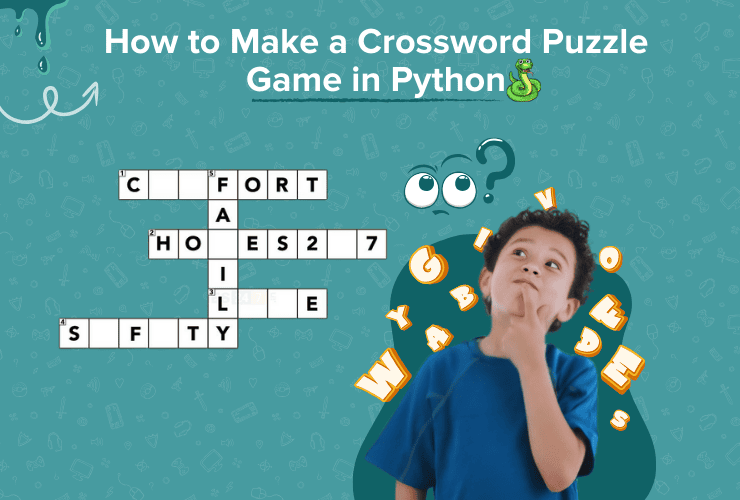
Crossword puzzles are a fun and educational way to challenge your brain. Making a crossword puzzle Python in computer can be challenging for beginners but it is actually one of a great project for beginners and teens because it combines logic, creativity, and coding skills. In this guide, we’ll show you how to make a simple crossword puzzle game using Python. You’ll learn how to create the grid, add words, and let the player solve the puzzle!
Step by Step guide to create Crossword Puzzle in Python
Here is the step by step guide to create a crossword puzzle in Python:
Step 1: Plan Your Puzzle
First, plan your crossword puzzle. Think about the words you want to include and how they will fit together. You can create a list of words and their definitions (clues). For example:
- Word: PYTHON, Clue: A popular programming language
- Word: LOOP, Clue: A code structure that repeats
Make sure the words can intersect with each other, like in a real crossword puzzle.
Step 2: Create the Grid
The crossword puzzle needs a grid where the words will fit. You can represent the grid as a 2D list (a list of lists) in Python. Each element in the list will hold a letter of the word or a blank space.
Here’s an example of how to create a grid:
grid = [
    ["", "", "", "", ""],
    ["", "", "", "", ""],
    ["", "", "", "", ""],
    ["", "", "", "", ""],
    ["", "", "", "", ""]
]

def display_grid():
    for row in grid:
        print(" ".join(row))

display_grid()
This will print an empty 5×5 grid. You can change the size of the grid based on how many words you want to fit.
Step 3: Add Words to the Grid
Next, add the words to the grid. You can place the words horizontally or vertically. For example, let’s add the word “PYTHON” horizontally:
grid[1][0] = "P"
grid[1][1] = "Y"
grid[1][2] = "T"
grid[1][3] = "H"
grid[1][4] = "O"
grid[1][5] = "N"
You can add more words in a similar way. Make sure the words don’t overlap in a way that doesn’t make sense.
Step 4: Create Clues and Let the Player Guess
Now that you have the words in the grid, you can create a list of clues and ask the player to guess the words. Use the input function to let the player type in their answers.
clues = {
    "PYTHON": "A popular programming language",
    "LOOP": "A code structure that repeats"
}

for word, clue in clues.items():
    print(f"Clue: {clue}")
    guess = input("Your guess: ").upper()

    if guess == word:
        print("Correct!")
    else:
        print("Try again.")
Step 5: Add a Winning Condition
To make the game more interactive, add a winning condition. The player wins when they guess all the words correctly. You can keep track of their correct guesses using a variable.
correct_guesses = 0

for word, clue in clues.items():
    print(f"Clue: {clue}")
    guess = input("Your guess: ").upper()

    if guess == word:
        print("Correct!")
        correct_guesses += 1
    else:
        print("Try again.")

if correct_guesses == len(clues):
    print("You solved the crossword puzzle!")
else:
    print("Keep trying!")
Test Your Puzzle
Once you have the basic game, test it out by playing the crossword puzzle yourself. You can improve the game by adding more words, making the grid bigger, or even giving the player hints.
Conclusion
Congratulations! You’ve successfully built your very own crossword puzzle using Python. This is a big step—because once you create a project like this, you unlock the confidence to build many more. With a bit more practice, creativity, and planning, you can take your Python skills much further and design projects that are smarter, more interactive, and even more fun.
This starter project is an excellent way to strengthen your coding foundations. You can keep improving it by adding exciting features such as hints, timers, score tracking, different difficulty levels, or even a graphical user interface.
If this project sparked your interest, imagine what else you can create as you continue learning.
Ready to explore more coding and take your skills to the next level?