Table of Contents
Benefits of coding toys for kids Best coding toys for kids (by age) Best coding board games Best coding games for kids (apps and video games) Best coding platforms and apps (for real projects) Benefits of coding toys for kids How to choose the right coding toys for kids (Parent checklist) Conclusion FAQs
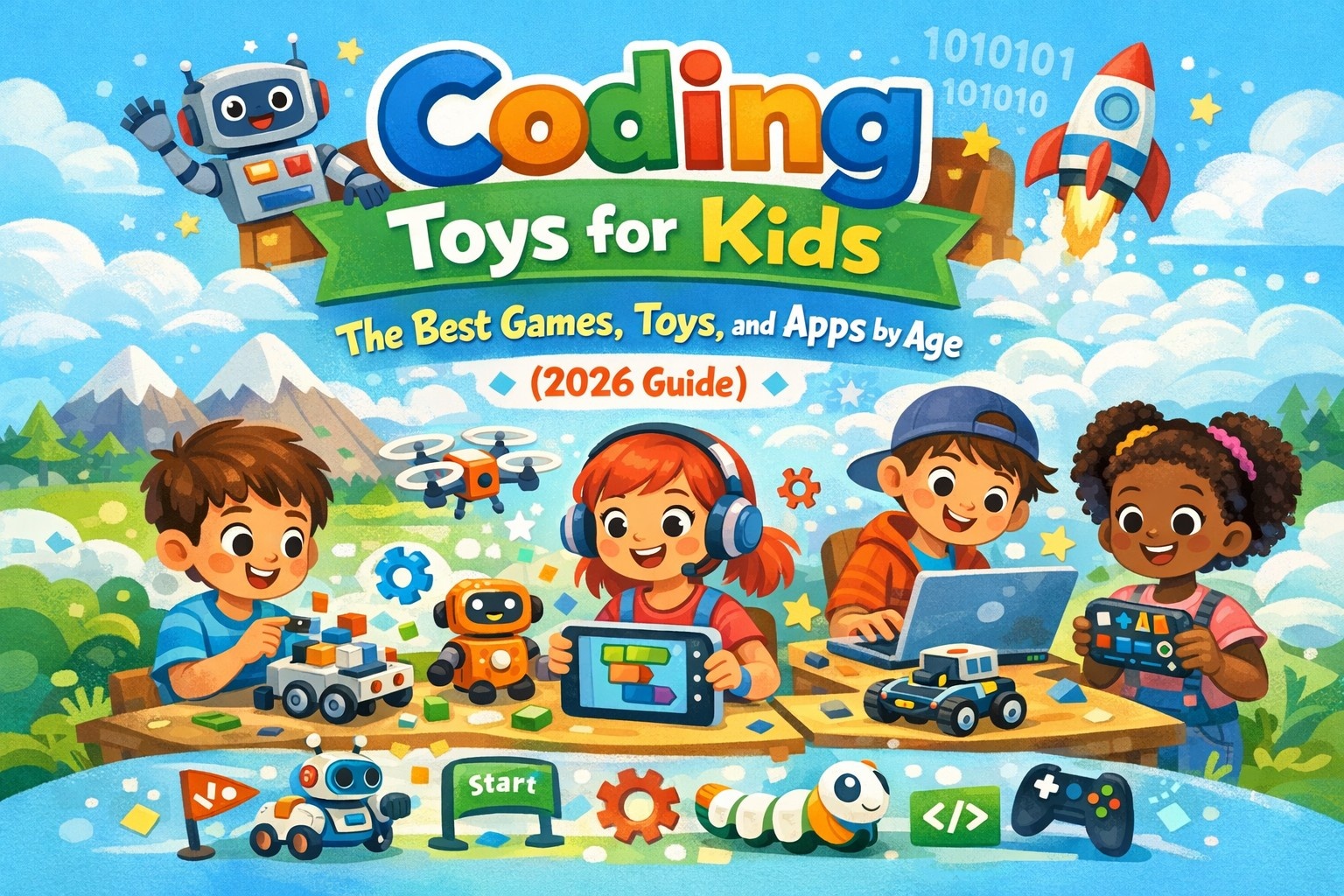
In 2026, coding toys for kids go beyond simple buttons – they help children learn real logic through play. Some are screen-free (perfect for younger kids), while others use apps to power robots, games, and creative projects.
In this guide, we have picked the best coding toys for kids by age: 4–7, 8–12, and 10–14, so you can match the toy to your child’s interests and screen-time routine. You will also learn the key benefits of coding toys for kids, plus quick mini-game ideas to keep kids excited from day one.
Benefits of Coding Toys For Kids
Coding toys for kids teach children to give instructions like “go forward, turn, and repeat.” For younger kids, coding means sequencing – first, then next, and finally last. For older kids, coding means block coding, sensors, and real robot missions. The goal is simple: kids learn logic while having fun.
Coding Toys vs Coding Games vs Coding Apps
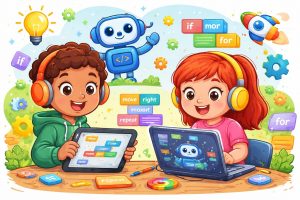
When choosing coding toys for kids, it helps to understand the difference between toys, games, and apps. Toys move in real life, games teach logic through puzzles, and apps help kids create their own projects. Most kids learn best when they combine one coding toy with one game or app.
Coding Toys For Kids: Screen-Free vs Screen-Based
Screen-Free Coding Toys
These are physical, hands-on toys that teach coding concepts without the use of any digital screen. Think of things like programmable robots that you control using buttons, coding cards, or sequences of physical commands. A child might arrange a series of arrow cards on the floor to direct a small robot through a maze, for example.
They work well for younger children (roughly ages 4–7) because kids at that age learn best through touch and physical interaction. They can see and feel the cause-and-effect of their instructions in a very concrete way. These toys also appeal to families who are mindful about limiting screen exposure for young children, which many child development experts recommend for early childhood.
Some popular examples include Cubetto, Botley the Coding Robot, and Code-a-Pillar.
Screen-Based Coding Toys
These involve a tablet, computer, or built-in screen where kids write or arrange code and see the results play out digitally. The feedback is immediate – a character moves, a game reacts, or an animation plays – which keeps older kids motivated and engaged.
They are better suited for children aged 7 and up because by that age, kids have stronger reading skills, longer attention spans, and a greater ability to think logically and handle abstract concepts. Screen-based tools can also offer far more complex challenges, allowing kids to progress from simple drag-and-drop coding all the way to writing real programming languages like Python or JavaScript.
Some popular examples include Osmo, Kano, and platforms like Scratch.
Which Should You Choose?
The right choice really depends on your child’s age, interest level, and how much screen time they already get. Many families actually find it useful to start with screen-free toys to build foundational thinking skills, and then transition to screen-based tools as the child grows and is ready for bigger challenges.
Best Coding Toys For Kids: By Age
Choosing the right coding toys for kids depends on your child’s age, interest, and learning style. Here is a breakdown of the best options by age group.
Coding Toys For Kids: Ages 4–7
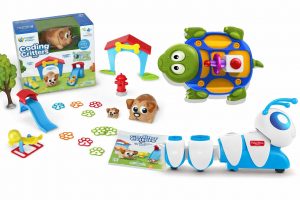
These coding toys for kids are best for quick wins and low screen time. Kids learn sequencing, directions, and how to fix mistakes — all through play.
| Pick | Best for | What kids learn | Quick mini game (1-minute setup) |
| Code-a-Pillar Twist | Tiny kids | Order + directions | “Treasure Walk”: reach a toy in 5 steps |
| Robot Turtles | Family play | Commands + debugging | “Boss Mode”: kid gives commands, parent follows |
| Coding Critters | Story lovers | Simple logic | “3 Trick Challenge”: do 3 actions in order |
Coding Toys For Kids: Ages 8–12
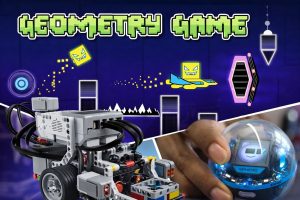
These coding toys for kids are best for children who love movement, missions, and building. They learn loops, logic, and beginner robotics thinking.
| Pick | Best for | What kids learn | Quick mini game (fun challenge) |
| Dash | Movers | Loops + challenges | “Obstacle Race”: avoid pillows, reach the finish |
| LEGO robotics line | Builders | Build + program | “Rescue Mission”: deliver a “kit” to a spot |
| Sphero BOLT/BOLT+ | Racing kids | Sensors + coding | “Glow Tag”: change color when it bumps walls |
Coding Toys For Kids: Ages 10–14
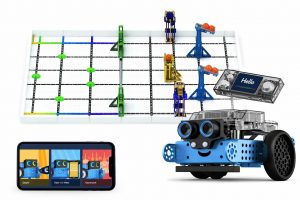
These coding toys for kids are best for children who want real projects, not basic play. They learn sensors, systems, and deeper coding skills that prepare them for more advanced programming.
| Pick | Best for | What kids learn | Quick mini game (level-up task) |
| VEX IQ | Engineering kids | Build systems | “Carry & Drop”: move the object without dropping |
| Makeblock mBot Neo | Progression | Block → Python | “Track Runner”: follow a line-track fastest |
Best Coding Board Games
Coding board games are a wonderful addition to coding toys for kids – perfect for weekends, travel, or screen-free days. Kids learn planning, sequencing, and debugging without even realizing it. Parents can join in without any prior tech knowledge. Pick one and make it game night!
Best picks
Robot Turtles is easiest for beginners, and Robo Rally is better for older kids.
Both turn logic into laughs.
| Game | Best for | Why kids like it |
| Roblox Games | Beginners | Create worlds, add challenges, and turn ideas into playable games |
| Robo Rally | Older kids | Strategy + competition |
Best Coding Games For Kids: Apps and Video Games
Alongside coding toys for kids, coding games and apps, coding quizzes for kids are a great way to keep learning going on a screen. These games teach coding logic through challenges and instant feedback. They are easy to start and hard to quit – perfect as a 15–20 minute brain game.
Puzzle-style coding games
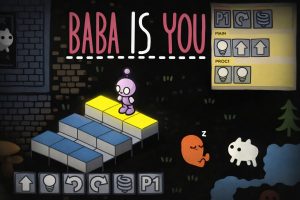
LightBot is best for beginners, while Baba Is You is great for older kids who love tricky logic.
| Game | Best for | What it builds |
| LightBot | Beginners | Sequencing + loops |
| Baba Is You | Older kids | Logic rules + problem solving |
First Creative Coding Apps
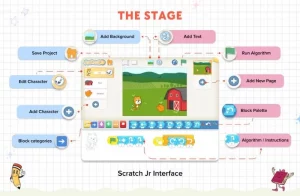
These apps work hand in hand with coding toys for kids by letting children create their own stories, games, and animations on screen.
| App | Best for | What kids can create |
| Scratch Jr. | Ages 5 – 7 | Stories + simple animations |
| Scratch | Ages 8+ | Games + animations |
Best Coding Platforms and Apps
These platforms are the next step after coding toys for kids. They are for children who say, “I want to make my own game.” Platforms give more freedom than toys and more creativity than puzzles. They also come with tutorials so kids can start quickly – best for long-term learning.
Scratch for kids is best for creativity, Code.org is great for guided learning, and Swift Playgrounds is ideal for older kids on an iPad or Mac.
Best Coding Platforms For Kids
Scratch for creativity, Code.org for guided learning, Swift Playgrounds for older kids on iPad/Mac.
| Platform | Best for | Why parents like it |
| Scratch | Creative projects | Huge variety + replay value |
| Code.org | Beginners | Guided, step-by-step |
| Codingal | Ages 6 to 18 | Live classroom learning with real human CS Tutors |
Key Benefits of Coding Toys For Kids
Kids learn to plan, fix mistakes, and try again. They build patience and confidence through small wins. And they shift from simply consuming content to actively creating it.
- Builds problem-solving: kids test, fix, and improve like mini engineers.
- Step-by-step thinking: they learn that order matters and instructions must be clear.
- Focus + patience: progress comes from trying again, not rushing.
- Creativity: kids build stories, missions, and games they’re proud of.
How to Choose The Right Coding Toys For Kids (Parent checklist)
Use this checklist to find the best coding toys for kids without buying something too easy or too hard. Start with your child’s age, then decide between screen-free or app-based. Match the toy to your child’s interests – whether they enjoy building, moving, solving puzzles, or storytelling.
Choose coding toys for kids that come with missions or levels so children do not get bored quickly.
6-point checklist
| Check | Quick rule |
| Age + reading level | If it feels hard, kids quit |
| Screen-free vs screen | Match your home routine |
| Interest | Building/moving/puzzles/stories |
| Difficulty | Instant play vs build first |
| Replay value | Missions, levels, expansions |
| Device compatibility | Avoid setup disappointments |
Match Coding Toys For Kids by Interest
- Builders → LEGO/VEX
- Movers → Dash/Sphero
- Puzzlers → LightBot
- Story lovers → Scratch/Scratch Jr.
Conclusion
The best coding toys for kids are the ones your child will actually use. Start screen-free, move on to robots, and then explore apps and platforms. Keep it playful, not perfect. The goal of coding toys for kids is to build confidence, spark curiosity, and encourage creativity — one small project at a time.
Ready to Take Coding Toys For Kids to the Next Level? Want to turn the skills your child builds with coding toys for kids into real projects? Free Scratch Class and watch your child build a game or animation with an expert teacher!
FAQs
- What are the best coding toys for kids in 2026?
The best coding toys for kids depend on age. Ages 4 – 7 do best with screen-free sequencing toys and board games. Ages 8 – 12 enjoy app-based robots with missions. Ages 10 – 14 benefit from advanced build kits with sensors. - What age should kids start coding toys?
Most kids can start around age 4 with simple, screen-free coding toys that teach sequencing and directions. If your child can follow basic instructions and enjoys building or puzzles, they’re ready. Start easy, then level up gradually. Are coding toys suitable for all kids aged 6–10?
Yes, there are coding toys designed for every skill level within this age range. Younger children around age 6 may do better with simpler, screen-free options, while kids closer to 10 can handle more complex, screen-based tools that introduce real programming concepts.- Do screen-free coding toys actually teach coding?
Yes. Screen-free coding toys teach the foundation of coding: giving clear instructions, putting steps in order, and debugging when something doesn’t work. These thinking skills transfer well to block coding later, making the transition to apps and platforms smoother. What are the benefits of coding toys for kids?
Coding toys build problem-solving, patience, and creativity in kids. They learn to test ideas, fix mistakes, and keep trying. Research published in the National Library Of Medicine a confirms coding activities significantly strengthen children’s mathematical reasoning skills.- Coding toys vs coding apps – what’s better?
Neither is “better” for everyone. Coding toys are great for hands-on learning and robotics-style play, while apps are better for building bigger creative projects like games and animations. Many kids do best with one toy plus one app. - Which coding toys are best for low screen time?
Screen-free options work best for low screen time, especially for ages 4 – 7. Look for command-based toys, sequencing toys, and coding board games. They teach logic and problem-solving without tablets, and are great for travel and family play. - What should I buy if my child loves building?
Choose build-focused kits like LEGO robotics lines or VEX-style systems. These keep builders engaged because kids assemble, test, and improve their creation over time. Look for sets with missions or challenges so the toy doesn’t become a one-time build. - What should I buy if my child loves puzzles?
Start with puzzle-based coding games like LightBot for beginners or more advanced logic games for older kids. These teach sequencing, loops, and planning through levels. If your child enjoys “beating challenges,” puzzles are a great entry point. - How do coding toys benefit my child?
Beyond teaching programming skills, coding toys for kids 6-18 help children and teenagers develop problem-solving abilities, logical thinking, creativity, and patience. They also encourage kids to learn from mistakes, which is a valuable life skill that goes beyond coding.