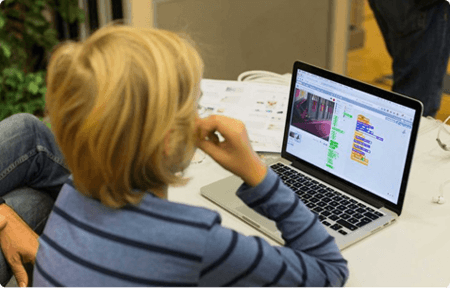
Online Coding Classes for Grades 1, 2 & 3 (Ages 6-9)
Help your 6 to 9 year old take their first steps into coding with live online classes built just for young learners. Early graders learn by building real things from day one, from block coding and Scratch to animations, stories, and beginner AI projects, all in a colorful, play-based environment that makes every lesson feel like an adventure.
Modules, Lessons, 100+ Activities & Projects, Quizzes
生徒
国

4.6 / 5 stars
This course includes:

Live coding classes in 1:1 or small groups

Friendly teachers who make coding fun and easy

Hands-on games, stories, animations, and creative projects

Step-by-step support in every class

Fun activities and quizzes to build confidence

A playful journey from first code blocks to bigger creations

STEM.org accredited certificates on completion

Monthly progress updates for parents

Access to class resources and practice material
What children in Grades 1 to 3 learn in coding class
Children in Grades 1 to 3 learn five core coding concepts: sequencing, events, loops, patterns and simple logic. They apply these concepts by creating animations, stories, games and beginner AI projects. All learning happens through drag and drop blocks, so no typing or advanced reading is required.
Every concept is introduced through a hands-on project. Children learn by building, not by watching. By the end of the program, most students can independently plan, build and present a short animation or game.
Coding courses for 1st, 2nd and 3rd graders



AI・コーディング グランドマスター:コーディングスキルをマスターしよう
学習の成果
アプリ、ゲーム、ウェブサイトを制作
AIとプログラミングスキルをマスター
プロジェクトベース学習に参加
STEM.org認定「AI・コーディング グランドマスター証明書」を取得


AI・コーディング プロディジー:プロのようにコーディング
学習の成果
プロのようなコーディング技術を習得しよう
魅力的なアプリやゲームを作成しよう
STEM.org認定「AI・コーディング プロディジー証明書」を取得
問題解決スキルをマスター


AI・コーディング チャンピオン:プログラミングを学ぼう
学習の成果
AI・プログラミングの学習をスタートしよう
驚きのアプリ、ゲーム、ウェブサイトを制作
STEM.org認定「AI・コーディング チャンピオン証明書」を取得
問題解決能力を飛躍的に向上させよう
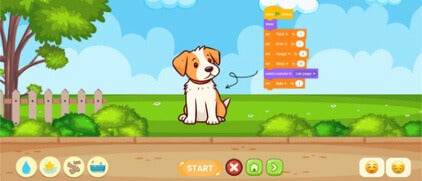
ScratchプログラミングとAI:創造性を解き放とう
学習の成果
ブロックベースプログラミングを学習
楽しいアニメーション・ゲームを制作
人工知能の基礎を探求
インタラクティブなストーリー・デジタルアートをデザイン
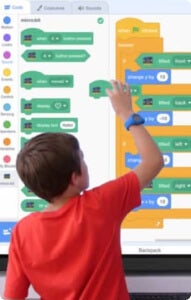
Block Coding Legend: Advanced Level
学習の成果
Create games using Code.org, Scratch
Build apps with Thunkable, MIT App Inventor
Explore AI through AICode101 projects
Earn a Block Coding Legend certificate
Pick the track that matches your child's pace. Every Grade 1 to 3 course is live, project based and ends with a STEM.org accredited certificate. Complete beginners should start with AI and AI & Coding Champion. Families wanting a full learning pathway should choose AI and Coding Grandmaster.
Which tools your child will use
Codingal's Grade 1 to 3 students use six beginner safe platforms. All are free, web based and require no installation. Each tool is introduced with a guided project so children learn the interface as they build.
Scratch
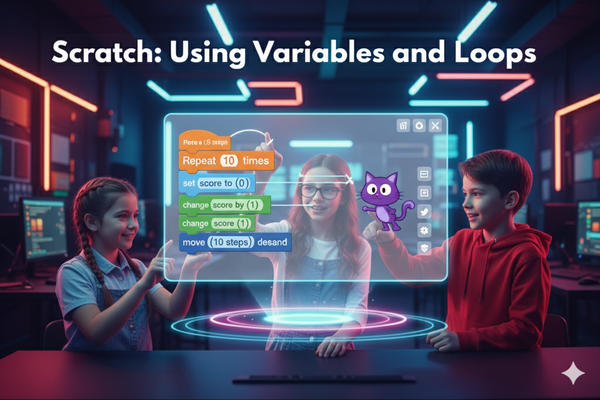
Drag and drop coding for stories, games and animations. Built by MIT Media Lab.
Code.org
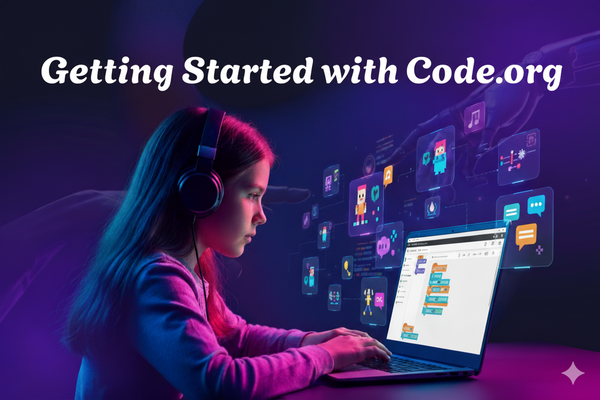
Guided puzzles and sequencing challenges for young learners.
MIT App Inventor
A visual tool for building simple mobile apps using blocks.
AI Code 101
Beginner AI platform with guided image, text and voice projects.
Trinket
Interactive coding with buttons, screens and simple inputs.
CodePen
Basic web projects using images, sounds and text.
An engaging coding journey for kids in Grades 1 to 3

What you will learn
First steps in coding with visual blocks
Sequencing, events, and simple logic
Loops, patterns, and interactive actions
Beginner game and animation creation
Scratch-based storytelling and projects
Early AI and app exploration
Solve coding challenges step by step
Problem-solving through hands-on activities

Skills you will gain

Confidence using technology creatively

Early sequencing and logic skills

Problem-solving through guided challenges

Creative thinking through games and stories

Pattern recognition and instructional thinking

Confidence to build and share projects
Try a free coding class for Grades 1 to 3
Every family can book a free 45 minute trial lesson. Your child works 1:1 with a Codingal teacher, completes a real project and receives feedback. No installation, payment or prior experience is required. Parents are welcome to observe the trial.
Dance Party with Spiderman
Make Spider-Man groove to the beat by using simple actions and music in Scratch, creating your own fun dance routine!

Play the Drums
Create a motion-sensing drum kit using video sensing, sound effects, and event triggers in Scratch.
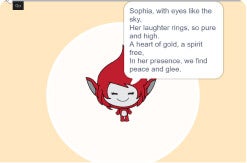
My AI Poet
Discover AI magic by creating personalized poems based on name! Simply type a name into the AI-powered coding environment and watch ChatGPT generate a unique, creative poem instantly.
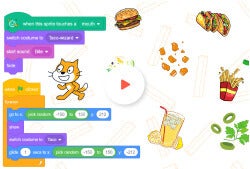
AI Taco Chomp
Build a fun AI-powered game where tacos fall from the sky, and players use real-time face detection to 'chomp' and eat them before they hit the ground!
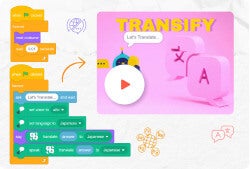
Transify
Learners will create a fun translator activity in Scratch that converts text from one language to another and reads it aloud using text-to-speech
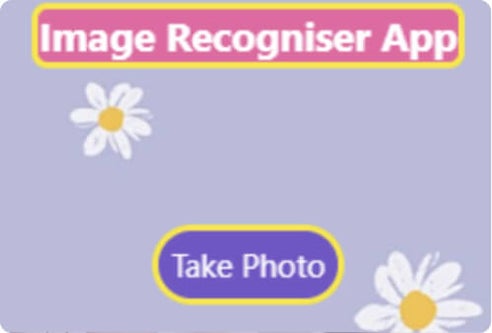
Image Recognizer
Build an app that spots images, describes them, and reads results aloud with AI.
Learn from expert Computer Science teachers

Codingal's Grade 1 to 3 teachers are trained Computer Science educators with 7 or more years of classroom experience. Every instructor completes a structured onboarding program before teaching, and is regularly evaluated by student and parent ratings.
Teachers are rated 4.9 out of 5 by parents and students. The Codingal curriculum is rated 4.8 out of 5. The company Net Promoter Score (NPS) is 86 as of Q1 2026.

🎓 1,000+
Expert CS instructors
👨💻 7 years
Average teaching experience
👩 91%
Female faculty
💻 500+
Lessons and projects
How a Codingal class actually works
Every Codingal Grade 1 to 3 class is a live, 45 to 60 minute online session with a Computer Science teacher. Parents can choose 1:1 or a small group (up to 4 students). Every class follows the same four part structure.
Warm up (5 minutes)
Quick recap of the previous class and an unplugged question to get thinking started.
Project build (25 to 35 minutes)
The child codes alongside the teacher, concept by concept.
Challenge (10 minutes)
The child applies the new concept to a fresh mini task on their own.
Wrap up (5 to 10 minutes)
The child presents their work. Teacher gives feedback and sets the next session goal.
After every class, students receive practice activities, a short quiz and their completed project to show parents. Parents receive a monthly progress update.
Our coding courses for Grades 1 to 3 are designed for young learners taking their first steps into coding
Children in Grades 1 to 3 learn through visual, beginner-friendly activities built around play. They explore tools like Sprite Lab, Play Lab, Scratch, and Minecraft to create games, animations, and simple projects. Every lesson is structured so young learners always feel supported, with a friendly Codingal teacher guiding each step of the way. As early graders build their first projects, they also strengthen logic, sequencing, and creative thinking, skills that carry over into every subject at school and set a strong foundation for everything that comes next.
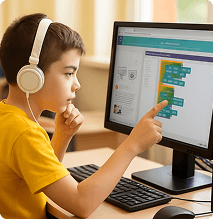
100+ coding projects designed for Grades 1 to 3
The Grade 1 to 3 project library includes more than 100 projects across block coding, Scratch, app building and beginner AI. Projects are graded by difficulty and mapped to each course's learning outcomes.
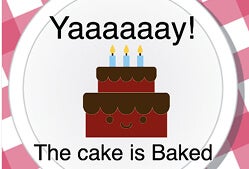
Let's Bake a Cake!
Kids arrange steps in the right order, just like a real recipe, to bake a virtual cake using sequencing logic.
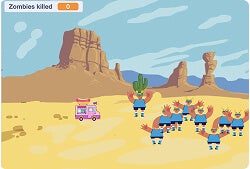
Hungry casey-2
Build a shooting game where kids aim and fire to feed a hungry character. Addictive and loads of fun.
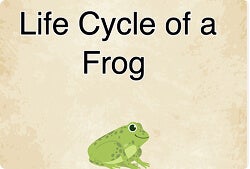
Life Cycle of a Frog
Click through each stage of a frog's life, from egg to tadpole to frog, with interactive animations.
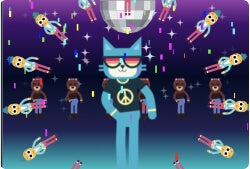
Dance Party
Create a dance party with music, moving characters, and fun animations using block-based code.

Health Guide App
Design a simple app with buttons and images that shares healthy eating and lifestyle tips.

My Recipe Book App
Tap a food item and the app shows its full recipe. Kids build their very own interactive cookbook.

Meow Marvels
Press a button and a random cat photo appears. Kids discover how real apps fetch and display live data.
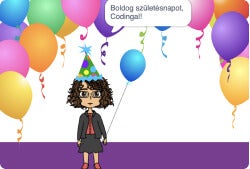
AI Birthday Wishes
Build an AI assistant that translates a birthday message into multiple languages instantly.

Where Am I?
Create a map app that shows your current location. Kids learn how GPS and real-world apps work.
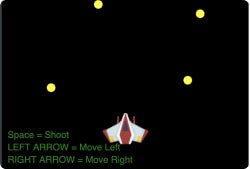
Space Shooter
Build an action space game with movement controls, shooting mechanics, and real game logic.
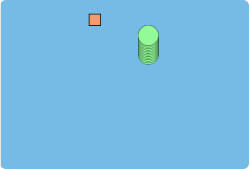
Snake and Food
Recreate the classic Snake game. Collect food to grow your snake and avoid running into yourself.

Calculator
Design and build a working calculator app from scratch. A great mix of math skills and coding logic.
What students and parents have to say about our training program
STEM.org accredited educational experience and certificates
Codingal's Grade 1 to 3 program is STEM.org accredited and built on proven educational frameworks including Bloom's Taxonomy, BIDE and STEAM. The curriculum is aligned with U.S. Common Core and international state standards, so every lesson is age appropriate, project based and mapped to real learning outcomes. Through hands-on activities, children create animations, stories and simple games that build computational thinking from the very first class. Backed by STEM.org's annual audits, the program gives children a strong, future ready foundation in STEM.
Unlock your skills and earn your first coding certificate

In Codingal's beginner track for Grades 1 to 3, children progress through two guided modules: Coding Explorers and Creative Builders. They start with the very basics and grow into creative, hands-on projects. Along the way, they learn sequencing, simple logic, animations, stories and beginner AI. On completing the program, students earn a STEM.org accredited Coding Explorer Certificate, a meaningful credential that celebrates their first steps in coding and fits into any school portfolio.
Our coding classes are built for kids taking their very first steps
Codingal's Grade 1 to 3 curriculum takes children from their very first drag and drop activity to building colorful, interactive projects they can share with friends and family. We begin with play based challenges that introduce sequencing, patterns and simple logic through games and stories. As children grow in confidence, they explore loops, events and basic animation at a pace that always feels achievable. With every project they complete, they build a stronger foundation in logical thinking and discover that coding is something they can genuinely enjoy.

Codingalは著名なエンジェル投資家のサポートを受けています
Codingalは大手投資会社と多数の著名なエンジェル投資家から多額の投資を確保しています。








Frequently asked questions about coding classes for Grades 1 to 3
Yes. Every Codingal course for Grades 1 to 3 starts with drag and drop tools such as Scratch, Code.org and block coding made for first time coders. No prior experience is needed, and no typing or advanced reading is required.
Children start with simple commands, sequencing, events and basic logic on Scratch and Code.org. From there, 1st, 2nd and 3rd graders progress to Scratch animations, beginner apps on MIT App Inventor and early AI projects on AI Code 101.
No. Grades 1 to 3 begin entirely with block coding on Scratch and Code.org. Typing is introduced later at the child's own pace, typically around Grade 4 and 5 when Python is introduced.
Yes. Scratch, built by MIT Media Lab, is the main tool for Grades 1 to 3 at Codingal. Children create stories, animations, games and interactive projects using Scratch's drag and drop blocks.
Yes, at a beginner level. Grade 1 to 3 AI projects on AI Code 101 involve image recognition, translation and guided AI activities built for young learners aged 6 to 9.
Each session is 45 to 60 minutes. Courses range from 2 to 18 months depending on the track, with AI and Coding Champion running 4 to 6 months and AI and Coding Grandmaster running 12 to 18 months.
1:1 offers fully personalized pacing. Small group classes (up to 4 students) add peer interaction. Both formats are live and project based.
Start with a free 45 minute trial. A Codingal teacher assesses your child's pace and interest and recommends the best fit course from the five Grade 1 to 3 tracks.
No. Games are one part of the journey. Children in Grades 1 to 3 also build animations, apps, AI projects and interactive stories across block coding, Scratch and MIT App Inventor.
Yes. Parents are welcome to sit in on the trial lesson to understand their child's current level and learning path.
Yes. Students earn a STEM.org accredited Coding Explorer Certificate on program completion. Milestone certificates are also awarded along the way.
Yes, short and optional practice activities and quizzes. Nothing that feels like traditional schoolwork.
Test your coding skills with fun, beginner-friendly quizzes

Q: 10

Q: 10

Q: 10

Q: 10
Q: 10
Q: 10
Q: 10

Q: 10
Q: 10
Codingalの最新ブログ記事
About Codingal
Codingal is a fast-growing edtech company on a mission to help kids fall in love with coding and AI through live classes and hands-on projects. What makes this journey special is our people: teachers, builders, and problem-solvers who genuinely care about learning.
We work as one team across curriculum, engineering, design, growth, operations, and support, always improving how we teach, how we train teachers, and how students learn. If you are a teacher who loves mentoring, or a parent looking for a learning experience that is personal, structured, and future-ready, welcome.