Online Coding Classes for Grades 4 & 5 (Ages 9-11)
Ready for your 9 to 11 year old to go beyond the basics? Fourth and fifth graders build real projects from day one, moving from Scratch and block coding into Python, app design, and beginner AI through live online classes designed specifically for upper elementary students.
Modules, Lessons, 100+ Activities & Projects, Quizzes
Students
Countries

4.6 / 5 stars
This course includes:

Live coding classes in 1:1 or small groups

Expert teachers who make coding clear and engaging

Games, apps, websites, AI, and Python projects

Guided support in every class

Quizzes and activities to strengthen concepts

A structured path from visual coding to real-world creation

STEM.org accredited certificates on completion

Monthly progress updates for parents

Access to class resources and practice material
What children in Grades 4 and 5 learn in coding class
Grade 4 and 5 students move beyond block coding into Python, web development with HTML and CSS, and beginner AI. They continue building games and animations with Scratch while starting to type real code for the first time. This is a deliberate bridge stage in the Codingal curriculum, designed to make the shift from blocks to text feel natural, not stressful.
Every concept is taught through a project. Children leave each class with something working on their screen. By the end of the program, most 4th and 5th graders can build a small Python program, design a web page or train an AI model for a simple task.
Coding courses for 4th and 5th graders



AI & Coding Grandmaster: Master Coding Skills
Learning outcomes
Build apps, games, and websites
Master AI and coding skills
Engage in project-based learning
Earn an AI & Coding Grandmaster certificate, accredited by STEM.org


AI & Coding Prodigy: Code Like a Pro
Learning outcomes
Learn to code like a pro
Create amazing apps and games
Earn an AI & Coding Prodigy certificate (STEM.org Accredited)
Master problem-solving skills


AI & Coding Champion: Learn to Code
Learning outcomes
Kickstart your AI & coding journey
Build amazing apps, games, & websites
Earn an AI & Coding Champion Certificate (STEM.org Accredited)
Unlock problem-solving superpowers


Game Development for Kids: Build Fun Games with AI
Learning outcomes
Master AI & Coding Skills for Game Development
Apply Skills to Real-World Projects
Think Like a Gamer, Code Like a Pro
Animate Characters and Objects to Bring Your Games to Life
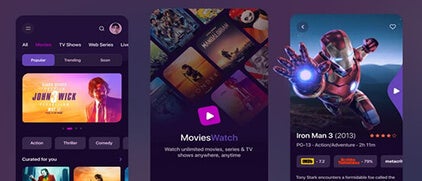
App Development for Kids: Create AI-Powered Apps
Learning outcomes
Build interactive interfaces
Design awesome apps
Make your app super smart (integrate camera, accelerometer, GPS, etc.)
Share your app with the world
Roblox Champion: Build & Design Epic Games
Learning outcomes
Become a Roblox game builder
Learn scripting with Lua
Design fun & unique 3D games (tycoon simulations, racing games, horror experiences)
Share your games with the world
Grade 4 and 5 students can pick from six tracks. Complete beginners should start with AI and Coding Champion. Families wanting a full learning pathway should choose AI and Coding Grandmaster. Students with a specific interest can pick Game Development, App Development or Roblox Champion. Every course is live, project based and ends with a STEM.org accredited certificate.
Which tools your child will use
Grade 4 and 5 students use six platforms that take them from block coding into real programming languages. All are free or free to learn, web based and introduced through guided projects. Fourth and fifth graders start with Scratch and Code.org and progress to Python and beginner web development with HTML and CSS.
Code.org
Create animations and games by giving characters step by step instructions.
Scratch
Drag and drop colorful blocks to build games, stories and animations. Built by MIT Media Lab.
MIT App Inventor
Design and build mobile apps using simple visual blocks and layouts.
Website Development
Build webpages with HTML, CSS and Bootstrap including text, images and interactive elements.
Python
Write beginner Python code to create apps, games and creative projects.
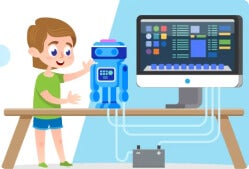
AI & Machine Learning
Discover how AI works through beginner projects using images, text and voice.
An engaging coding journey for kids in Grades 4 and 5

What you will learn
Build interactive apps and beginner games
Design logic games and Scratch projects
Create animations and interactive stories
Learn the basics of website building
Write beginner Python code
Explore AI and machine learning concepts
Solve guided coding challenges
Build real projects step by step

Skills you will gain

Confidence applying code to real projects

Stronger logical and sequential thinking

Creative problem-solving through building

Improved understanding of how technology works

Ability to work through challenges independently

Readiness for more advanced programming
Try a free coding class for Grades 4 and 5
Every family can book a free 45 minute trial lesson. Your 9 to 11 year old works 1:1 with a Codingal teacher, builds a real project from start to finish and receives feedback. No installation, payment or prior experience is required. Parents are welcome to observe.

Save the Minion
Use video sensing and conditionals to interact with the screen and save a Minion by making the right moves at the right time!

Space Animation
Use Scratch to create a scene where a rocket moves between planets while stars twinkle in the background.
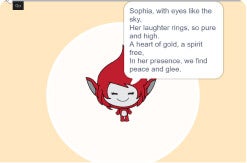
My AI Poet
Discover AI magic by creating personalized poems based on name! Simply type a name into the AI-powered coding environment and watch ChatGPT generate a unique, creative poem instantly.
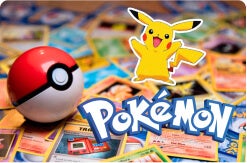
Collect the pokemons
Create a Pokemon adventure by coding button clicks to collect characters with sound effects and narration using Code.org's App Lab.
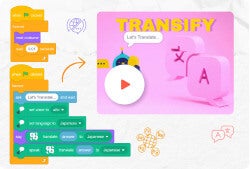
Transify
Learners will create a fun translator activity in Scratch that converts text from one language to another and reads it aloud using text-to-speech

Star Wars
Build an exciting Star Wars-themed game using block-based coding on Code.org.
Learn from expert Computer Science teachers

Codingal's Grade 4 and 5 teachers are trained Computer Science educators with 7 or more years of classroom experience. Every instructor completes structured onboarding before teaching and is evaluated by student and parent ratings. Teachers are equipped to handle the bridge from block coding to Python for 4th and 5th graders.
Teachers are rated 4.9 out of 5 by parents and students. The Codingal curriculum is rated 4.8 out of 5. The company Net Promoter Score (NPS) is 86 as of Q1 2026.

🎓 1,000+
Expert CS instructors
👨💻 7 years
Average teaching experience
👩 91%
Female faculty
💻 500+
Lessons and projects
How a Codingal class actually works
Every Codingal Grade 4 and 5 class is a live, 45 to 60 minute online session with a Computer Science teacher. Parents can choose 1:1 or a small group (up to 4 students). Every class follows the same four part structure.
Warm up (5 minutes)
Quick recap of the previous class and a concept check to prime the session.
Project build (25 to 35 minutes)
The child codes alongside the teacher, concept by concept, in Scratch, Python or web tools.
Challenge (10 minutes)
The child applies the new concept to a fresh mini task on their own.
Wrap up (5 to 10 minutes)
The child presents their work. The teacher gives feedback and sets the next session goal.
After every class, students receive practice activities, a short quiz and their completed project to show parents. Parents receive a monthly progress update.
Our coding courses for Grades 4 and 5 are designed for students ready to go beyond the basics
Fourth and fifth graders learn through hands-on projects that feel genuinely exciting. Using tools like Scratch, Python, App Lab, and MIT App Inventor, upper elementary students build games, apps, and beginner AI projects in live Codingal classes designed specifically for this age group. As 9 to 11 year olds grow in confidence, they also develop sharper logical thinking, stronger problem-solving skills, and the ability to break complex challenges into manageable steps, abilities that transfer directly into math and science at school.
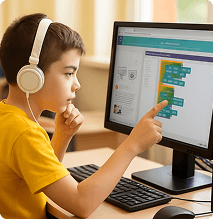
100+ coding projects designed for Grades 4 and 5
The Grade 4 and 5 project library includes more than 100 projects across Scratch, Python, web development, app building and beginner AI. Projects are graded by difficulty and mapped to each course's learning outcomes.
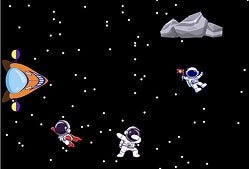
Astro Rescue
Arrange steps in the right order to help astronauts get home safely. Build logic and sequencing through gameplay.

Pawsome
Click for a surprise. Build an app that displays random dog images using imported data and button clicks.
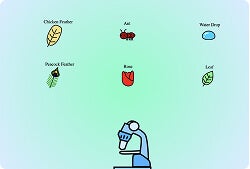
Microscope
Zoom in with code and explore the microscopic world through a science-themed Scratch project.
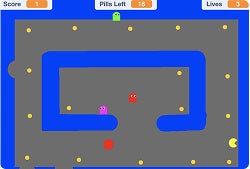
Pacman
Code the chase and clear the maze. Build a Scratch game using movement, controls, and maze-based gameplay.
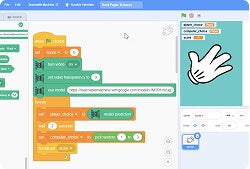
AI Rock-Paper-Scissors
Show your move and let AI decide. Train a model to recognize hand gestures in an interactive Scratch game.
My Recipe Book App
Build a recipe-themed project using loops to repeat actions and take first steps into smarter coding.
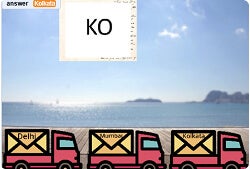
AI Mailman
Train an AI to sort mail correctly. Build a Scratch project that matches city codes to the right delivery truck.
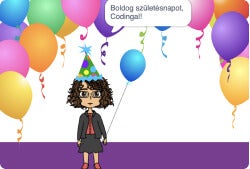
AI Speaks Many Languages
Build an AI project that translates messages across multiple languages using trained models and Scratch.
Where Am I?
Take first steps into typed coding. Build a Python map-based project and bridge block coding to real code.

Portfolio Website
Build a personal portfolio website to showcase your work using HTML, CSS, and Bootstrap basics.
Phonebook Using Python
Build a phonebook project while applying Python fundamentals and object-oriented programming concepts.
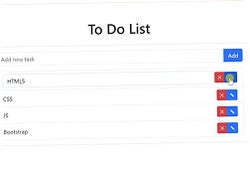
To-Do List App
Build a fully functional to-do list app from scratch using HTML, CSS, Bootstrap, and JavaScript.
What students and parents have to say about our training program
STEM.org accredited educational experience and certificates
Codingal's Grade 4 and 5 program is STEM.org accredited and built on proven educational frameworks including Bloom's Taxonomy, BIDE and STEAM. The curriculum is aligned with U.S. Common Core and international state standards, so every lesson is age appropriate, project based and mapped to real learning outcomes. Through hands-on activities, 4th and 5th graders build games, apps, webpages and AI projects that apply programming concepts to real problems. Backed by STEM.org's annual audits, the program gives children a strong, future ready foundation in STEM.
Unlock your skills and earn your coding certificate

In Codingal's Grade 4 and 5 track, students progress through structured modules that take them from beginner block coding to writing real code in Python and beyond. Fourth and fifth graders learn loops, conditionals, app design, Scratch projects, web basics with HTML and CSS and beginner AI, turning every lesson into a working project. On completing the program, students earn a STEM.org accredited certificate, a valuable credential for school portfolios and a strong early signal of real coding ability.
Our coding classes are built for upper elementary students ready to go further
Codingal's Grade 4 and 5 curriculum takes students from visual block coding to building real apps, games, webpages and beginner AI projects. We begin with guided challenges that introduce core programming concepts through hands-on, project based activities. As upper elementary students grow in confidence, they explore Python, web development and app design at a pace that keeps every lesson feeling exciting. With every project they complete, 4th and 5th graders build sharper logical thinking and the confidence to take on increasingly ambitious coding challenges.
Codingal is backed by esteemed angel investors
Codingal has secured substantial backing from renowned investment firms and a host of prominent angel investors.








Frequently asked questions about coding classes for Grades 4 and 5
Yes. Classes support both first time coders and students with prior experience. A free 45 minute Codingal trial helps identify the right starting point for your 4th or 5th grader.
Most 4th and 5th graders begin with project based lessons in Scratch and Code.org. As upper elementary students build confidence, they progress into Python, web development with HTML and CSS, and beginner AI.
Yes. Grade 4 and 5 is a bridge stage at Codingal. Fourth and fifth graders continue using Scratch while being introduced to typed code in Python and HTML, so the transition feels gradual rather than stressful.
Students build games, apps, Scratch projects, webpages, beginner Python programs and interactive AI projects. Every project grows in complexity with each class.
Yes. Students explore beginner AI through image recognition, speech input and interactive AI projects on AI Code 101, all designed for 9 to 11 year olds.
Yes. Fourth and fifth graders are introduced to HTML, CSS, Bootstrap and beginner JavaScript. They work toward building their own portfolio websites and interactive pages.
Each session is 45 to 60 minutes. Courses range from 2 to 18 months depending on the track, from AI and Coding Champion (4 to 6 months) to AI and Coding Grandmaster (12 to 18 months).
Classes are live and teacher led. Fourth and fifth graders learn in 1:1 or small group sessions through hands-on projects, guided challenges and real time feedback.
1:1 offers fully personalized pacing. Small group classes (up to 4 students) add peer interaction. Both formats are live and project based.
Start with a free trial. A Codingal teacher will recommend the best fit course from the six Grade 4 and 5 tracks based on your child's pace, prior experience and interest.
No. Students also build apps, websites, Scratch projects, Python programs and beginner AI experiences throughout the Grade 4 and 5 path.
Yes. Students earn STEM.org accredited certificates on program completion. Milestone certificates are also awarded along the way.
Yes. Parents are welcome to sit in on the trial lesson to understand their child's current level and best fit learning path.
Assess your coding skills with fun quizzes
Q: 10

Q: 10
Q: 10
Q: 10

Q: 10
Q: 10
Recent blog posts by Codingal
About Codingal
Codingal is a fast-growing edtech company on a mission to help kids fall in love with coding and AI through live classes and hands-on projects. What makes this journey special is our people: teachers, builders, and problem-solvers who genuinely care about learning.
We work as one team across curriculum, engineering, design, growth, operations, and support, always improving how we teach, how we train teachers, and how students learn. If you are a teacher who loves mentoring, or a parent looking for a learning experience that is personal, structured, and future-ready, welcome.